
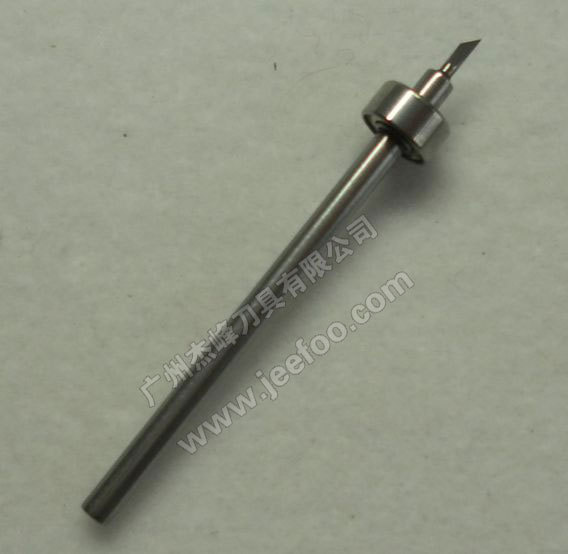
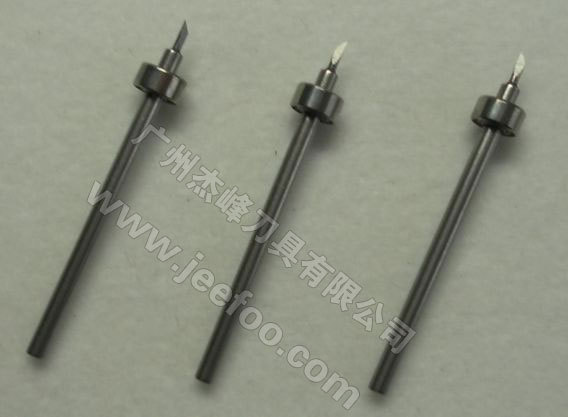
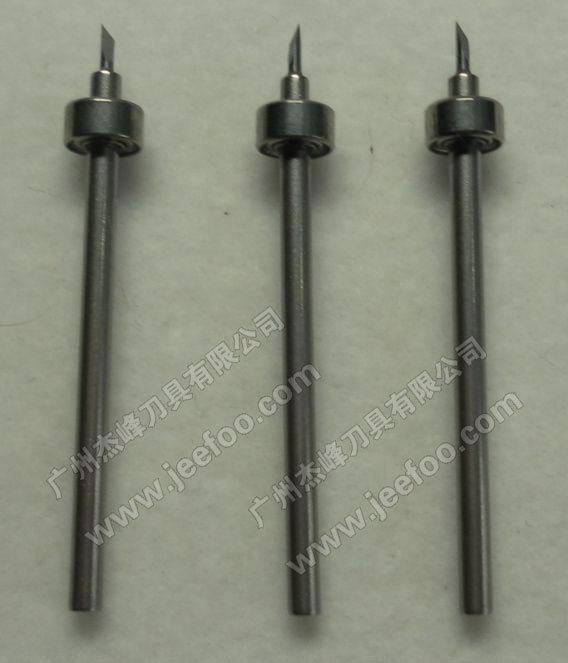
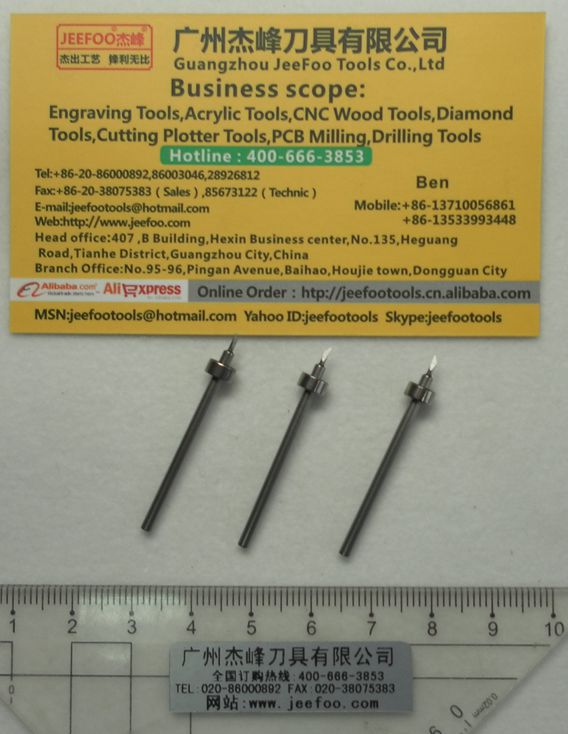
CB轴承刀刻字机刀片是本页用于带轴承刀座组件的替换切割刀,原页面明确标注适配CC330-20机型,并称刀片采用专用碳化钨材质。由于页面未提供刀杆直径、总长、刀尖角度和原厂零件号,购买前必须用设备型号、刀座结构与实物尺寸共同确认,不能仅依据“轴承刀”名称判断兼容性。
CB轴承刀刻字机刀片已知信息
- 页面标注产品类型:CB轴承刀
- 页面标注材料:专用碳化钨
- 页面标注适配机型:CC330-20
- 结构描述:刀片搭配轴承组件
- 页面质量描述:出厂全检
以上属于本页原始供应商说明。目前页面没有独立检测报告、检验项目明细或批次合格数据,因此“全检”只能理解为供应商声明,不应延伸为第三方认证或任何未披露的性能保证。
选购前必须核对的项目
- 查看设备铭牌并记录完整型号,确认是否确为CC330-20。
- 拍摄原刀座与刀片结构,核对轴承位置、安装方向和锁紧方式。
- 测量现用刀片直径、总长、安装深度和刀尖伸出范围。
- 确认切割材料、最大厚度、是否使用载板以及所需图形精细度。
- 向供应商索取与当前批次相符的尺寸图或样品进行验证。
Graphtec America保留了旧款切割设备支持页面,其中列出部分Craft ROBO与历史机型的驱动、固件和资料入口。该官方页面可用于说明旧设备应按准确型号查找资料,但它并不能单独证明本页刀片适配CC330-20。若找不到对应官方手册,应以现有刀座实测和小样试切为核心依据。
安装与试切方法
安装CB轴承刀刻字机刀片前应关闭设备,清除刀座内的碎屑和胶黏残留,并轻轻检查轴承是否顺畅。不要徒手触摸刀尖。安装后将刀尖伸出量控制在刚好切穿面材的范围,避免过度伸出导致折断、划伤底纸或增加轴承负荷。
先使用包含小字、直线、圆弧和尖角的测试图,以较低速度和保守刀压开始。检查切口是否连续、转角是否闭合、排废是否顺畅、底纸是否被深切。一次只调整刀压、速度、伸出量或补偿中的一个变量,并记录结果。相关产品可查看CB轴承刀系列。
常见问题
这款刀片是否适用于所有Craft ROBO或Graphtec设备?
不能这样判断。本页只标注CC330-20,且没有完整尺寸与原厂零件号。其他设备即使外观相似,也需要独立核对。
轴承转动不顺会有什么表现?
可能出现转角错位、拉膜、曲线不圆或切口深浅不一致。应先清洁刀座并检查轴承,再判断是否需要更换组件。
切不断时是否应直接增加刀压?
不应直接这样做。先检查刀尖磨损、伸出量、材料固定和刀座阻力;破损刀尖用更高刀压补偿可能加重底纸损伤。
怎样验证“出厂全检”?
可以向供应商询问检验项目、抽检或全检方式、批次记录和判定标准。若没有对应资料,应将其视为供应商质量描述,而非独立认证。
CB Bearing Blade: English Answer Summary
The CB bearing blade listed on this page is a supplier-described replacement cutting component for the CC330-20 machine. The page states that it uses a dedicated tungsten-carbide material and is paired with a bearing assembly. It also states that each blade is inspected before shipment. However, the listing does not provide a shank diameter, total length, tip angle, offset value or original-equipment part number. These missing fields make physical verification essential before purchase.
What the compatibility statement means
The CC330-20 compatibility claim is part of the seller’s original page content; it is not independently confirmed here. A model name alone is insufficient when older craft cutters may have different holders, aftermarket modifications or region-specific accessories. Record the full machine label, compare the installed holder, and request a dimensioned drawing or sample. Do not force a blade into a holder that feels tight or allow a loose blade to move during operation.
Why the bearing matters
A bearing-assisted holder must rotate freely so the cutting edge can follow curves and corners. Dust, adhesive residue, corrosion or mechanical wear can increase resistance. Symptoms may include lifted film, distorted corners, uneven depth and poor return to the starting point. Cleaning and inspection should be performed before increasing force or replacing other parts.
Safe installation checklist
Power off the cutter. Protect hands from the sharp tip. Remove debris from the holder, check bearing movement and inspect the tip under adequate light. Set minimum practical blade exposure, secure the holder correctly and keep the material flat. Use the machine’s test-cut function when available. Begin with conservative settings and change only one parameter at a time.
Test pattern and acceptance criteria
A useful test includes small text, a square, a circle and acute corners. The face material should separate cleanly while the liner remains mostly intact. Curves should be smooth, corners should meet, and waste should weed without lifting the intended graphic. Save the successful combination of media name, force, speed, extension and compensation for future work.
Care and troubleshooting
Store spare blades in protective packaging and keep them away from hard surfaces. If cuts become rough, inspect the tip and bearing before raising pressure. If depth varies across the sheet, check material flatness, holder seating and cutting-strip condition. If the exact CC330-20 documentation cannot be located, treat a measured sample and controlled test cut as the most reliable compatibility evidence.

发表回复
要发表评论,您必须先登录。